Deploying to your own server usually means a pile of shell scripts: pull the code, install dependencies, restart the process, and hope it comes back. VaultPanel replaces that with staged, health-checked deployments that never touch the running release until the new one is ready.
Supported runtimes
VaultPanel deploys Node.js, Python, Go and Ruby apps from a Git repository and keeps them running with PM2.
| Runtime | Dependencies | Default start command |
|---|---|---|
| Node.js | npm ci (or npm install) | npm start |
| Python | A virtual environment, then pip install -r requirements.txt | gunicorn app:app |
| Go | go mod download, then go build | ./app |
| Ruby | bundle install | bundle exec puma |
You can replace the install, build and start commands with your own. PHP websites can deploy from Git too.
One Linux user per app
Every app gets its own Linux user and a home folder under /var/www, so one app cannot read another's files:
releases/holds one folder per deployment.currentpoints at the live release. The process always runs from it.shared/holds the PM2 process file and the.envfile (mode 600) written from the app's environment variables.logs/holds the app's output and error logs.
The stages of a deployment
Each deployment goes through these stages in order, and a failed deployment names the stage it stopped at:
- Prepare: the app's user and folders are checked or created.
- Fetch: a shallow
git cloneof the branch into a new release folder. The commit hash, author and message are recorded. - Install: dependencies are installed.
- Build: your build command runs, if there is one.
- Configure: the environment and the PM2 process file are written.
- Start:
currentswitches to the new release and the app starts. - Health check: with a port, the app must answer on it within the health check time (30 seconds by default). Without a port, it must stay running.
If anything fails before Start, the running release keeps running and the half-made release is removed. If the health check fails and there was a previous release, the app switches back to it automatically.
Rollbacks in seconds
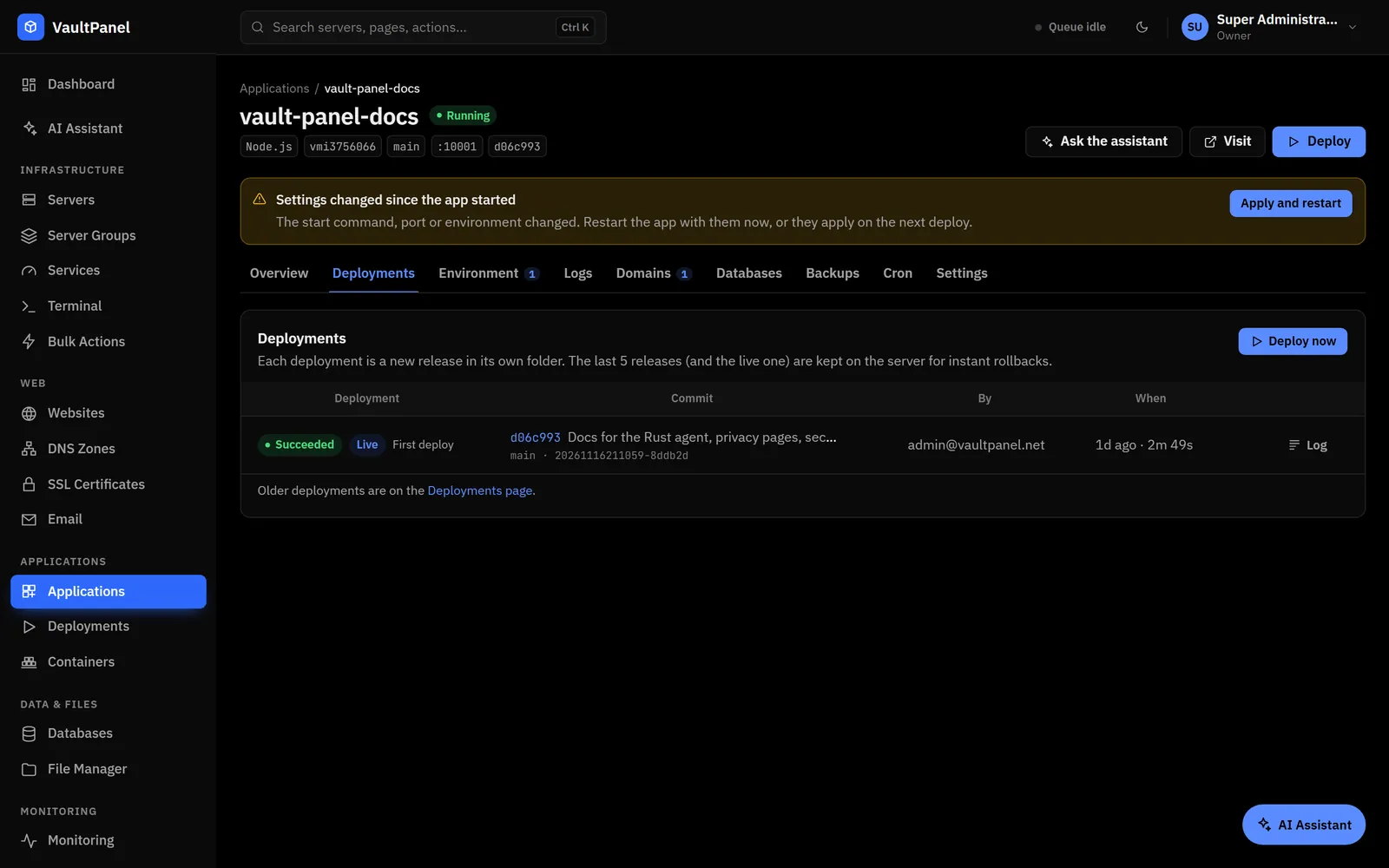
The newest releases stay on the server (5 by default, up to 20), always including the live one and the previous one. Roll back on the app's Deployments tab switches current to that release and restarts. Nothing is rebuilt, so a rollback takes seconds, and it still runs the health check.
Push to deploy
Turn on Push to deploy and VaultPanel gives the app a webhook URL and a secret for GitHub, GitLab, Gitea, Forgejo or Bitbucket. Each push to the app's branch starts a deployment; pushes to other branches are ignored.
Requests are verified: GitHub, Gitea, Forgejo and Bitbucket sign the body with HMAC-SHA256, and GitLab sends the secret token. A request without a valid signature deploys nothing and is recorded in the audit log.
For private repositories, use the repository's SSH address. VaultPanel makes an Ed25519 deploy key for the app; add its public key to the repository as a read-only deploy key.
Zero-downtime reloads for Node.js
Node.js apps can reload without dropping requests: deployments, restarts and saved settings start the new version before stopping the old one, so the port keeps answering. Make the start command run a Node.js file directly, such as node server.js.
Domains, databases and scaling
- Domain and SSL: link the app to a website, and NGINX proxies the domain to it with a free Let's Encrypt certificate.
- Database: create a MariaDB database and add its credentials to the app's environment in one step.
- Scaling: run several copies of an app on one server, and cap CPU and memory.
- Automation: deploy from CI with a scoped API token, the
vaultpanelCLI or the JavaScript SDK.